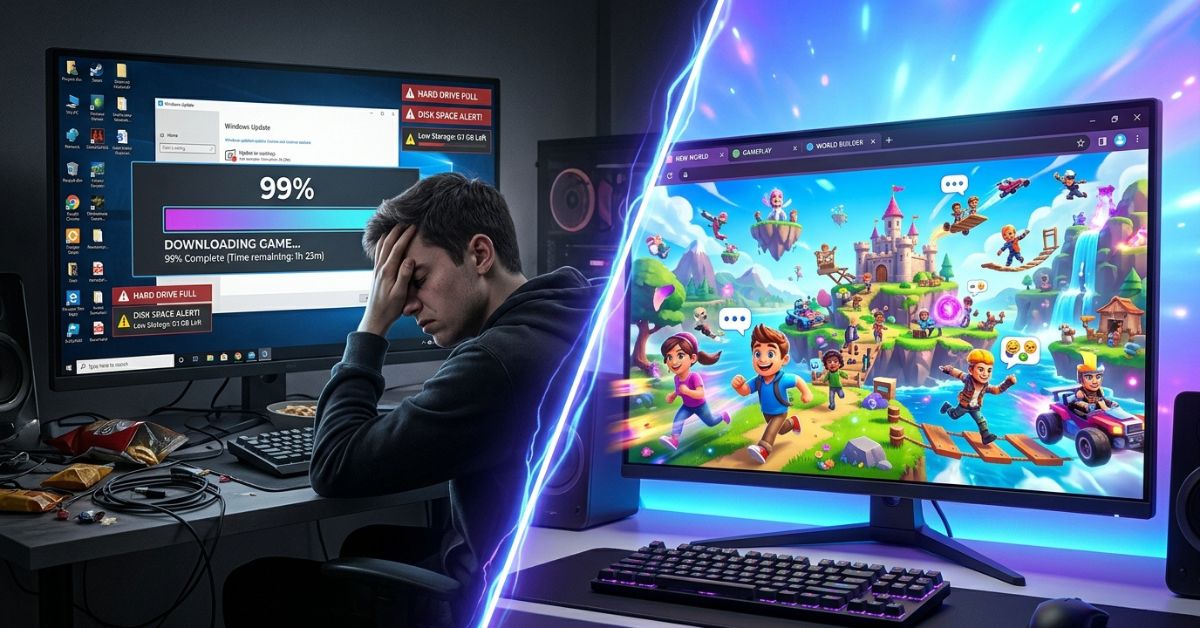
PlayMyWorld Gaming is a website where you can play short games made by other people and build your own virtual spaces. It works right inside your normal web browser without asking you to download large files. It gives casual players and creators a quick way to play games together online.
Quick Summary
PlayMyWorld Gaming lets you play games made by users and hang out in online rooms. It works on most phones, computers, and tablets. It costs nothing to play basic games, and it has simple tools for building worlds. The main drawback is that browser graphics do not look as sharp as expensive computer video games.
At a Glance
| Feature | Details |
| Platform Type | Website for playing social games and building open worlds |
| Download Needed | No |
| Cost | Free to play (optional extra items cost money) |
| Multiplayer | Public rooms, private friend groups, and live online events |
| Creation Tools | Built-in block editor |
| Device Support | PC, Mac, Chromebook, phone, and tablet |
| Best For | Casual players, young builders, and groups of friends |
| Age Suitability | Ages 8 and up |
What Is PlayMyWorld Gaming?
PlayMyWorld Gaming is a busy website that puts hundreds of player-made games into one place. Instead of buying individual games, you go to one website to find lots of different activities.
Think of PlayMyWorld like an online arcade. One minute you can run through an obstacle course, and the next minute you can hang out in a virtual town.
+-----------------------------------------------------------------------+
|                         NORMAL COMPUTER GAME                          |
| Big File Download ➔ Long Setup ➔ Needs Computer Storage ➔ Play Game   |
+-----------------------------------------------------------------------+
|                       PLAYMYWORLD GAMING                              |
| Open Web Browser Tab ➔ Click Game Picture ➔ Start Playing Right Away  |
+-----------------------------------------------------------------------+
How PlayMyWorld Compares to Other Gaming Options
| Feature | PlayMyWorld | Standard Website Arcades | Downloaded Video Games |
| How to Open | Web browser tab | Web browser tab | Must download files to your device |
| Building Tools | Built-in world editor | None | Hard software tools |
| Social Features | Avatars, friends, and chat | Mostly solo games | Built-in friends list |
| Graphics | Simple 3D graphics | Simple 2D graphics | High-quality 3D graphics |
How PlayMyWorld Gaming Works
PlayMyWorld runs inside your web browser. You do not need to fill up your computer storage to use it.
[ Visit Website ] ➔ [ Create Profile or Play as Guest ] ➔ [ Pick a Game ]
                                                                │
                                                                ▼
[ Save Stats & Progress ] ◄─ [ Chat & Add Friends ] ◄─ [ Join Live Room ]
Account Options
You can test selected games right away as a guest. Creating a free account lets you save your scores, collect items, and send friend requests. You only need an email address, a password, and a nickname to sign up.
Finding and Playing Games
The main menu groups games into simple lists like action, puzzle, and racing.
- Click a game picture on the main menu.
- Click the green Play button.
- Wait a few seconds for the map to load.
- Use standard WASD keyboard keys or touch screen buttons to move around.
Playing with Others
PlayMyWorld is designed for playing with other people. You can make a private group for your friends or join open public rooms to meet new players. The website includes live text chat, simple character actions (emotes), and planned community events.scr
What Can You Do on PlayMyWorld Gaming?
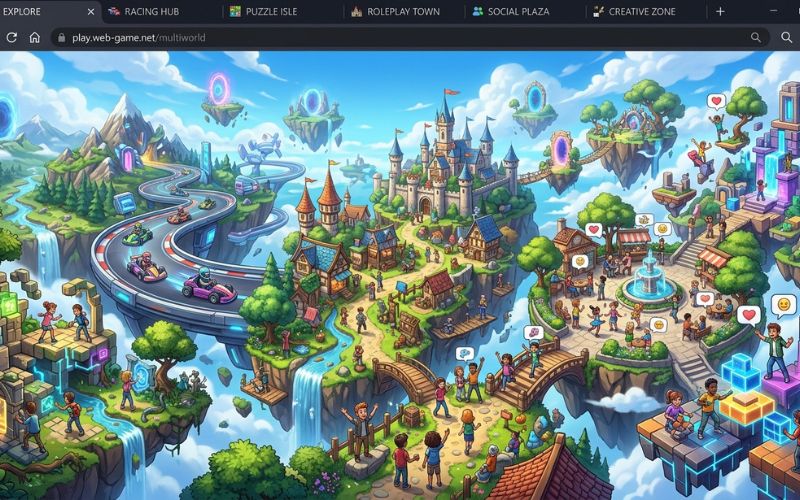
PlayMyWorld has many different types of games so players do not get bored. Here are real examples of what you can do:
- Action and Skill Games: Race karts on tracks built by players, or complete jumping courses called “obbies.”
- Role-Play Spaces: Pretend to run a pizza shop, care for pets at an adoption center, or live in a online town.
- Social Party Games: Play hide-and-seek, answer trivia questions, or play tag with friends.
- Exploration Hubs: Walk through digital art museums, fantasy islands, and interactive space stations.
- Community Events: Join website-wide scavenger hunts, seasonal holiday parties, and live video streams with the game makers.
Can You Create Your Own Worlds or Games?
Yes, PlayMyWorld has a built-in world editor that lets you build your own spaces. You do not need coding skills to make simple maps.
The level builder uses simple drag-and-drop tools. You can pick ground pieces, buildings, trees, and objects from a list and place them in your world. Simple sliders let you change daylight settings, water levels, and background music.
+-----------------------------------------------------------------+
|                       WORLD BUILDER STEPS                       |
| Place 3D Objects ➔ Connect Action Blocks ➔ Test Level ➔ Publish |
+-----------------------------------------------------------------+
If you want moving parts, the tool offers visual action blocks. These blocks let you set up simple rules without writing code. For example, you can set a rule that opens a door when a player steps on a floor button.
Beginners can share simple maps in less than an hour. However, building large role-play towns takes practice. To keep the website running fast on web browsers, the builder puts a limit on how many total objects you can place in one room.
Do You Need to Download Anything?
No, you do not need to download or install any software to use PlayMyWorld. Everything runs inside regular web browsers using standard internet technology.
Your computer does not need gigabytes of free storage space. The website saves temporary files in your browser while you play. When you close your browser tab, those temporary files disappear automatically. Having a steady internet connection is much more important than computer space.
Is PlayMyWorld Gaming Free?
PlayMyWorld is free to play, with optional paid features. It costs nothing to open an account, play public games, or use basic building tools.
The website sells extra items for real money. You can buy virtual tokens to unlock extra clothing for your character, special building shapes, or extra storage space for custom projects.
| Free Features | Optional Paid Features |
| Play all public games | Extra character clothes and hats |
| Standard building tools | Advanced building shapes and sound effects |
| Public text chat and friend lists | Larger player limits for private rooms |
| Basic item storage space | Special profile badges and titles |
Supported Devices and System Requirements
PlayMyWorld works on many different devices because it runs through web browsers.
| Device | Supported? | How It Runs |
| Windows PC | Yes | Runs smoothly on Chrome, Edge, or Firefox. |
| Mac | Yes | Runs smoothly on Safari, Chrome, or Firefox. |
| Chromebook | Yes | Great budget option for standard games. |
| Tablet | Yes | Touch buttons work well; bigger screens make building easier. |
| Mobile Phone | Yes | Works on phone browsers using on-screen touch buttons. |
You do not need an expensive gaming computer. Any device with 4GB of RAM memory and a stable internet connection of at least 10 Mbps can play basic games easily.
Who Should Use PlayMyWorld Gaming?
PlayMyWorld is great for casual players and creative minds who prefer quick fun over super realistic graphics.
+-----------------------------------------------------------------+
|                       QUICK GUIDE                               |
| TRY IT IF:                         SKIP IT IF:                  |
| • You want fast, free fun         | • You want high-end 3D graphics|
| • You use a Chromebook or phone   | • You want to play offline  |
| • You like building simple maps   | • You want hard pro games   |
+-----------------------------------------------------------------+
Recommendation Breakdown
| Type of Player | Fit Level | Main Reason to Play |
| Casual Players | High | Play games fast without waiting for long setups. |
| Young Creators | High | Easy drag-and-drop tools teach basic map design. |
| Friend Groups | High | Free games you can play together on different devices. |
| Hardcore Gamers | Low | Visuals and game rules are too simple. |
Safety, Privacy and Parental Controls
PlayMyWorld has several safety tools to protect younger players and encourage good online behavior.
Public text chats use automatic filters to block bad words, real street addresses, and phone numbers. Players can mute or block mean users in two clicks using the player menu. You can also report bad behavior to the website moderation team.
Parents can set up a safety PIN on the account to lock privacy settings. This PIN stops children from changing safety rules or spending real money.
Family Safety Checklist
- [ ] Pick a safe username that does not show your child’s real name.
- [ ] Set up a parent safety PIN in the account settings.
- [ ] Set chat rules to Friends Only or Off.
- [ ] Turn off real-money purchases.
- [ ] Teach your child how to block and report mean players.
Performance, Tips, and Common Errors
Learning how browser settings work helps you stop game lag and screen freezing.
Turning On Hardware Acceleration for Better Speed
Because PlayMyWorld runs in a browser, your browser settings control how smooth the game runs. Turning on Hardware Acceleration in your browser settings lets your computer graphics chip help draw the 3D shapes. This keeps the game moving smoothly when many players gather in one room.
[ Open Browser Settings ] ➔ [ Search "System" ] ➔ [ Turn On Hardware Acceleration ]
Helpful Performance Tips
- Clear Browser Cache: Clear out old browser temporary files once a month to stop loading glitches.
- Close Extra Tabs: Close extra browser windows to free up computer memory.
- Use Wi-Fi or Internet Cable: Stay connected to strong Wi-Fi or plug in an internet cable to stop dropping out of games.
- Save Favorite Games: Save good games to your favorites list so you can open them quickly later.
Common Mistakes to Avoid
- Spending Too Much Money on Clothes: Buying virtual tokens before checking out all the free outfit options.
- Joining Unofficial Groups: Giving your account password to random people on outside chat websites.
- Using Weak Passwords: Picking easy passwords that make your account unsafe.
- Expecting High-End PC Graphics: Expecting fancy movie-like graphics from a simple web browser.

Is PlayMyWorld Gaming Worth Trying in 2026?
PlayMyWorld Gaming is worth trying if you want simple, free online games without waiting for file downloads. It is a great choice for casual players, Chromebook users, and young builders who want to design custom maps.
It is less useful for players who only want top-quality graphics, games that work without internet, or hard pro-level games. However, since the basic website is completely free, testing it in your browser costs you nothing.
Frequently Asked Questions
What is PlayMyWorld Gaming?
PlayMyWorld Gaming is a free website where people play mini-games made by users and build 3D virtual spaces in their browsers.
Is PlayMyWorld Gaming free?
Yes, making an account and playing public games is completely free, with optional extra clothes you can buy.
Do I need to download anything?
No, the whole website works inside your web browser using standard web code.
Can I play with friends?
Yes, you can make private rooms, send friend requests, and play together across different devices.
Can I create my own worlds?
Yes, the website has a simple drag-and-drop editor with visual action blocks for building maps.
Is PlayMyWorld safe for kids?
Yes, it has automatic chat filters, user blocking, reporting buttons, and parent PIN protection.
Which devices support PlayMyWorld?
It works on Windows PCs, Macs, Chromebooks, tablets, and mobile phones through updated web browsers.
Does it work on mobile?
Yes, mobile web browsers support on-screen touch buttons for moving around games.
Does PlayMyWorld save progress?
Yes, your scores, stats, and saved items stay stored automatically when you sign into your account.
Is an account required?
No, you can play some games as a guest, but you need a free account to save your scores and add friends.
Can beginners use PlayMyWorld?
Yes, the movement buttons are simple to use, and the building tools are built for beginners.
What internet speed is recommended?
A steady internet speed of at least 10 Mbps is best for smooth, lag-free play.
Handpicked For You:
CNLawBlog Explained: What It Is, Is It Trustworthy, and How to Use It Safely (2026 Guide)
AnonVault Explained: What It Is, How It Works, Security, Safety & Alternatives (2026)
Disclaimer:
This article is for informational and educational purposes only. We aim to provide accurate and updated information, but we cannot guarantee complete accuracy or future changes. Some images in this article may be AI-generated for illustration only. All trademarks, logos, brand names, and copyrights belong to their respective owners.