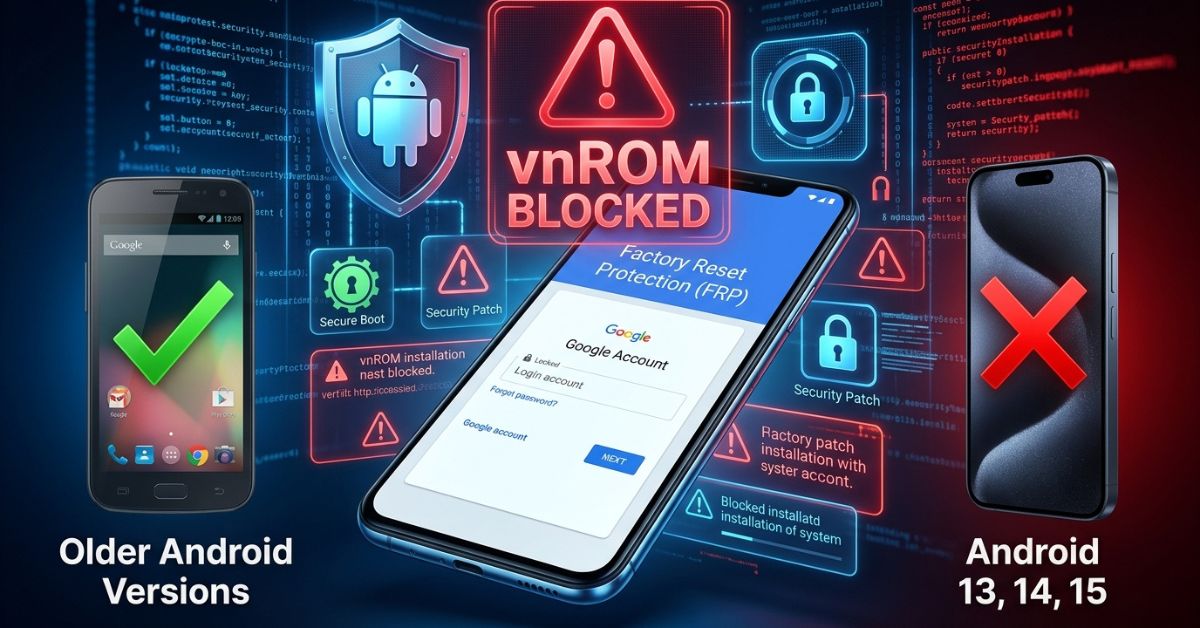
vnROM is a free method people use to try to get past the Google Factory Reset Protection (FRP) lock on older Android phones. If you are stuck on the account sign-in screen after a reset, you might be looking for a way to get back into your phone. This guide covers how this method works, why it often fails on newer devices, and safer ways to regain access to your hardware.
vnROM: Quick Answer
vnROM is an unofficial tool meant for legacy Android devices, but it does not work on most modern phones. It is generally a fit only for phones running older, unpatched software from several years ago.
What vnROM Is
vnROM is a free method people use to try to get around FRP on older Android phones. It is not an official tool from Google or your phone brand. The tool uses files that try to get past the setup screen. It is often used by people who bought a used phone or forgot their own login details.
Before you try this, please know that this is a “use at your own risk” method. It is meant for older hardware and is not an official way to unlock a phone. Always make sure you own the device you are trying to unlock. If you do not have proof that you own it, bypass methods may also violate the rules for your device.
FRP Lock Explained
Google made FRP to stop other people from using a phone after a reset. If a phone is lost or stolen, this lock keeps your data safe. While this protects you, it can lock you out if you forget your own account info. This is why people search for ways to get around it. It is a core part of phone security meant to keep your private files away from strangers.
Does vnROM Still Work?
vnROM is generally more likely to work on legacy devices that have not received recent phone updates. These are older unpatched phones that do not have the latest system defenses. Recent Android builds and phones with stronger security blocks now prevent most of these manual tricks. If your phone is from the last few years, the system will likely stop the process before you can finish.
Compatible Android Versions
- Android 5.0 to 9.0: These older versions are more likely to work with these methods.
- Android 10: Success here depends on the specific phone security.
- Android 11 and later: Success is very rare as these versions have strong new security blocks.
Device Results at a Glance
| Device Age | Success Chance |
| Old (5+ years) | Good |
| Mid-range (3 years) | Low |
| New (Current) | Very Low |
Samsung is often mentioned in vnROM guides because many tutorials focus on those models. However, whether it works for you depends on your specific model, the brand, and the phone security.
How to Use vnROM FRP Bypass
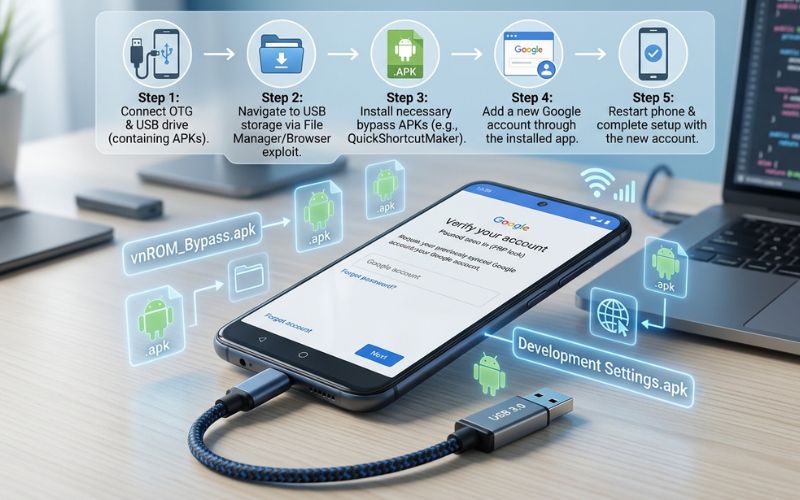
If you want to try this on an older phone, follow these basic steps. Only use this on a device you own or are allowed to unlock. Keep in mind that steps vary by device and Android version. Older devices are more likely to accept these steps, as their security is not as tight. The process can stop at the browser or install stage if the system detects an unauthorized file. If the phone is new, it is usually better to stop and try official help instead.
What You Need First
- A working Wi-Fi connection.
- A microSD card or OTG adapter for moving files.
- The correct files for your specific phone model.
- Patience, as these manual methods can take several tries.
Basic Step Flow
- Connect your locked phone to a stable Wi-Fi network.
- Go to the web browser through the “help” or “emergency” menu.
- Download the needed files from a source you trust.
- Allow your phone to install apps from “Unknown Sources.”
- Install the file and follow the steps to add a new account.
- Restart your phone to finish the setup.
If the phone does not let you open the file or blocks the install, it is likely because your phone security is too new for this method.
Why vnROM Fails on New Android Devices
Recent Android builds have strong security that stops old tricks. Phone brands now use system checks that stop unapproved apps from running during setup. These updates are designed to block old bypass methods.
Common Failure Points
- Browser blocked: The phone stops you from opening the page.
- Install blocked: The phone will not let you turn on the “Unknown Sources” setting.
- Looping: The phone acts like it works but takes you right back to the lock screen.
- Security updates: The system is too new to accept the old tricks.
Safer Alternatives
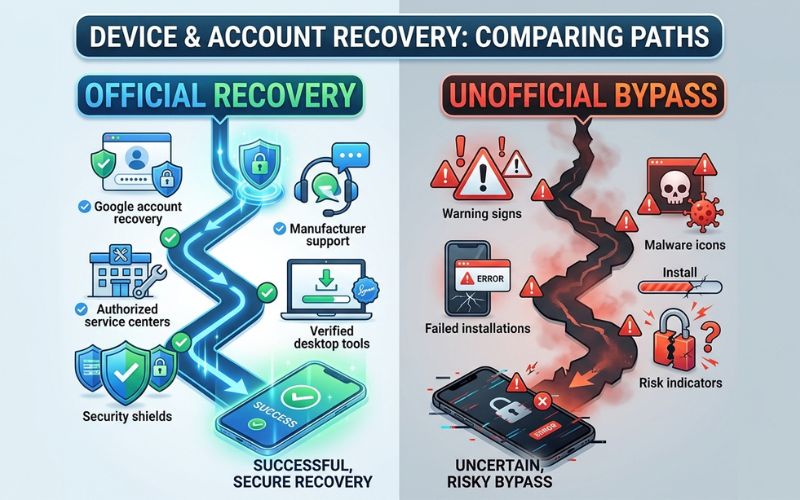
If vnROM fails, the safest next step is to use official help or trusted computer tools. These options focus on getting your own account back rather than getting around phone security.
Computer Unlock Tools
Computer tools can be easier because they work from outside the phone. These tools usually work from a computer, which can make them easier for some users. They are often more stable than manual APK methods. They may be a better choice for newer devices since they communicate with the device from outside to clear the lock.
Official Help Options
The safest first step is using official help.
- Account Recovery: Use the Google account recovery page to reset your password.
- Brand Support: Reach out to your phone’s brand with proof that you own it.
- Repair Shop: A local shop can often unlock a phone using special tools meant for this.
Is vnROM Safe?
vnROM is not a guaranteed safe tool. Because the files come from third-party websites, they can be risky because they may contain harmful software. The files are free, but the safety risk can make them a bad choice for important phones. Also, trying to force a bypass can sometimes cause your phone to stop working correctly or result in a “boot loop” where the phone never turns on. It is always best to keep your phone safe rather than using a quick fix.
The Final Verdict on vnROM
vnROM is only worth considering on legacy devices that have not been updated. For modern devices, official recovery or trusted computer unlock tools are better. If you have a phone with recent updates, skip the manual bypass and use official support instead to keep your data safe. Always try the official ways first, as they are the only ones that keep your phone secure and working well.
vnROM FAQs
Does vnROM work on Android 13 or later?
No. Modern phone updates in recent Android builds block the tricks this method needs to run. On modern devices, the setup process is much harder to bypass.
Is vnROM free to use?
Yes, the files are free, but the safety risk can make them a bad choice for important phones. You should only use it if you are okay with the risks involved.
Do you need a PC for vnROM?
Sometimes a PC helps move files to a USB drive, but some older devices can work without one. Using a PC can sometimes make the process cleaner.
What is the best vnROM alternative now?
The best choice is using the official Google account recovery process. This ensures your account and data remain under your control.
Handpicked For You:
How to Build and Develop Oxzep7 Software: Step-by-Step Guide
Zvodeps: Tool, Philosophy, or Both? A Complete Guide to Meaning, Uses, and SEO Potential
Disclaimer
This article is for informational and educational purposes only. The methods discussed are not official and should be used at your own risk. I am not responsible for any data loss or damage to your device. Some images used are AI-generated for illustration. All copyrights and trademarks belong to their respective owners. Please use these guides only on devices you own.